

- Why is your business website quietly driving customers away?
- How can a slow website make people leave before they buy?
- Why does a confusing mobile experience kill conversions?
- How do weak headlines and vague copy make visitors bounce?
- Why do missing trust signals make buyers hesitate?
- How can a broken or hidden call to action stop sales cold?
- What should you fix first if your website has all five problems?
- How can you tell whether your fixes are actually working?
- What does a healthier customer-winning website look like?
- Final thoughts
Key Takeaways
– A slow site loses patience fast. If pages drag, people leave before they learn what you do.
– Mobile, messaging, trust, and calls to action matter. A pretty site that confuses visitors still costs sales.
– Small fixes can create big gains. Clear copy, faster pages, and stronger trust signals often improve leads without a full rebuild.
Why is your business website quietly driving customers away?
A business website can look polished and still perform like a leaky bucket.
You pay for traffic. You post on social media. You run ads. You tell people to visit your site. Then your visitors arrive, poke around for a few seconds, and disappear like someone who walked into a store, saw chaos, and backed out slowly.
That hurts.
Your website should help people understand what you offer, trust you, and take the next step. If it fails at any of those jobs, it can cost you customers every day. Google also emphasizes people-first content, clear titles, and useful page structure, which means weak pages can hurt both rankings and conversions at the same time.[^1]
If your site feels busy but business feels quiet, one of these five problems may be the reason.
How can a slow website make people leave before they buy?
Speed matters because people do not visit your website in a calm, patient, tea-sipping mood.
They are usually distracted. They are comparing options. They are standing in line, sitting in traffic, or half-watching TV. If your site loads like it needs a pep talk, many visitors will leave before they even see your offer.
Google uses mobile-first indexing, which means it primarily looks at the mobile version of your site for search purposes.[^2] If your mobile site is slow, stripped down, or frustrating, that can affect both visibility and user experience.[^2] In plain English, if your site struggles on a phone, it struggles where it counts most.
Jakob Nielsen’s well-known usability guidance also notes three response time limits that still matter in user experience:
- About 0.1 second feels instant
- About 1 second keeps the user’s flow of thought
- Around 10 seconds is about the limit before attention is seriously lost[^3]
Your visitor may not say, “This page exceeded my acceptable latency threshold.” They just leave.
What does a slow site usually feel like to customers?
It often shows up as:
- A homepage that loads in pieces
- Buttons that lag before working
- Giant images that choke the page
- Pop-ups that appear before anything useful
- Forms that take forever to submit
None of this creates confidence.
If your website feels clunky, people may assume your service will feel clunky too. Fair? Maybe not. Real? Absolutely.
How do you fix a slow website?
Start with the usual suspects:
- Compress large images
- Remove heavy plugins and scripts you do not need
- Use caching and a content delivery setup
- Limit autoplay video and oversized animations
- Check your mobile speed, not just desktop speed
Also, be ruthless. If something looks fancy but slows the site down, it needs to justify its existence.
A spinning logo intro may impress exactly one person, and that person may be the designer.
Why does a confusing mobile experience kill conversions?
Because your website is not competing only with other businesses. It is competing with the natural human urge to give up.
Google’s mobile-first indexing guidance stresses that the mobile version of your website should contain the same important content, structured data, and metadata as the desktop version.[^2] If your mobile site hides useful information, trims key service details, or makes navigation harder, users and search engines both get a worse experience.[^2]
That matters because a huge share of website visits now happen on phones. If your site makes mobile users pinch, zoom, squint, or hunt for the contact button, you are making them work too hard.
And nobody likes homework from a website.
What are the classic signs of a bad mobile website?
Look for these problems:
- Tiny text
- Buttons packed too close together
- Menus that hide important pages
- Contact forms that are annoying on a phone
- Images or banners that push key content too far down
- A sticky pop-up that eats half the screen
A desktop site can still function well even with a few awkward choices. On mobile, those same choices can wreck the whole experience.
How do you fix mobile confusion?
Focus on ease first.

- Make text readable without zooming
- Use clear buttons with enough spacing
- Keep menus short and logical
- Put your phone number and contact action where people can see them
- Test every important page on an actual phone
Do not just drag your browser window smaller and declare victory. That is not testing. That is optimism.
Ask a simple question on each page: Can a first-time visitor understand what we do and contact us in under 10 seconds?
If the answer is no, your mobile experience needs work.
How do weak headlines and vague copy make visitors bounce?
Your visitors should not need detective skills to understand your business.
One of the most common website problems is copy that sounds nice but says almost nothing. Phrases like “innovative solutions,” “customer-focused approach,” and “results-driven service” are everywhere because they are easy to write and hard to argue with.
They are also forgettable.
Google’s SEO Starter Guide encourages content that is helpful, reliable, and written for people, with descriptive titles and headings that make it easier for visitors and search engines to understand the page.[^1] That means your messaging should answer basic questions quickly:
- What do you do?
- Who do you help?
- Why should someone choose you?
- What should they do next?
If your homepage headline says something fluffy like “Helping Brands Reach New Heights,” that could mean marketing, coaching, drone repair, or a motivational poster business.
Your copy needs to pull its weight.
What does stronger website copy look like?
Stronger copy is specific.
Instead of:
- We provide world-class digital solutions
Try:
- We build fast, conversion-focused websites for service businesses
Instead of:
- Tailored strategies for growing brands
Try:
- We redesign outdated business websites so more visitors turn into calls and leads
That second version may not win a poetry award, but it tells people what is going on. That matters more.
How do you fix weak messaging?
Use this simple formula on your main pages:
- Say what you do
- Say who it is for
- Say the main benefit
- Say the next step
Here is a quick example:
- Headline: We build business websites that turn visitors into paying customers
- Subheadline: For small businesses that need a faster, clearer, and more trustworthy online presence
- Call to action: Book a website review
That is clear. That is useful. That gives people a reason to stay.
Why do missing trust signals make buyers hesitate?
Because people do not buy when they feel unsure.
They stall. They compare. They tell themselves they will “come back later,” which is often a polite fiction.
Trust signals help reduce that hesitation. They show visitors that your business is real, active, capable, and safe to contact. If your website lacks those signals, people may like what you offer but still avoid taking the next step.
What trust signals do customers expect to see?
Most business websites should include several of these:
- Real testimonials
- Reviews or ratings
- Clear contact information
- A real business address if relevant
- Team photos or founder information
- Case studies or examples of past work
- Security basics like HTTPS
- Policies that are easy to find
Google also provides documentation on supported meta tags and search presentation controls, which can help site owners communicate page information clearly in search results.[^4] That will not replace trust on the page itself, but clear search snippets and accurate page descriptions can improve the first impression before someone even clicks.[^4]
Why do trust gaps matter so much?
Because people are asking silent questions the whole time they browse:
- Is this business legit?
- Will they reply?
- Do they work with people like me?
- Have they done this before?
- Can I trust them with my money?
If your website does not answer those questions, the visitor may answer them on your behalf. Usually not in your favor.
How do you fix missing trust signals?
Add proof, not puffery.
- Use real testimonials with names when possible
- Show actual project samples
- Include a professional About page
- Display current contact information
- Keep branding consistent across pages
- Make sure your site uses HTTPS
And please, if your last blog post is from 2021 and your copyright says 2022, fix that today. A stale site feels abandoned. An abandoned site does not inspire confidence.
How can a broken or hidden call to action stop sales cold?
A visitor can be interested, impressed, and ready to act, then still leave if your site makes the next step unclear.
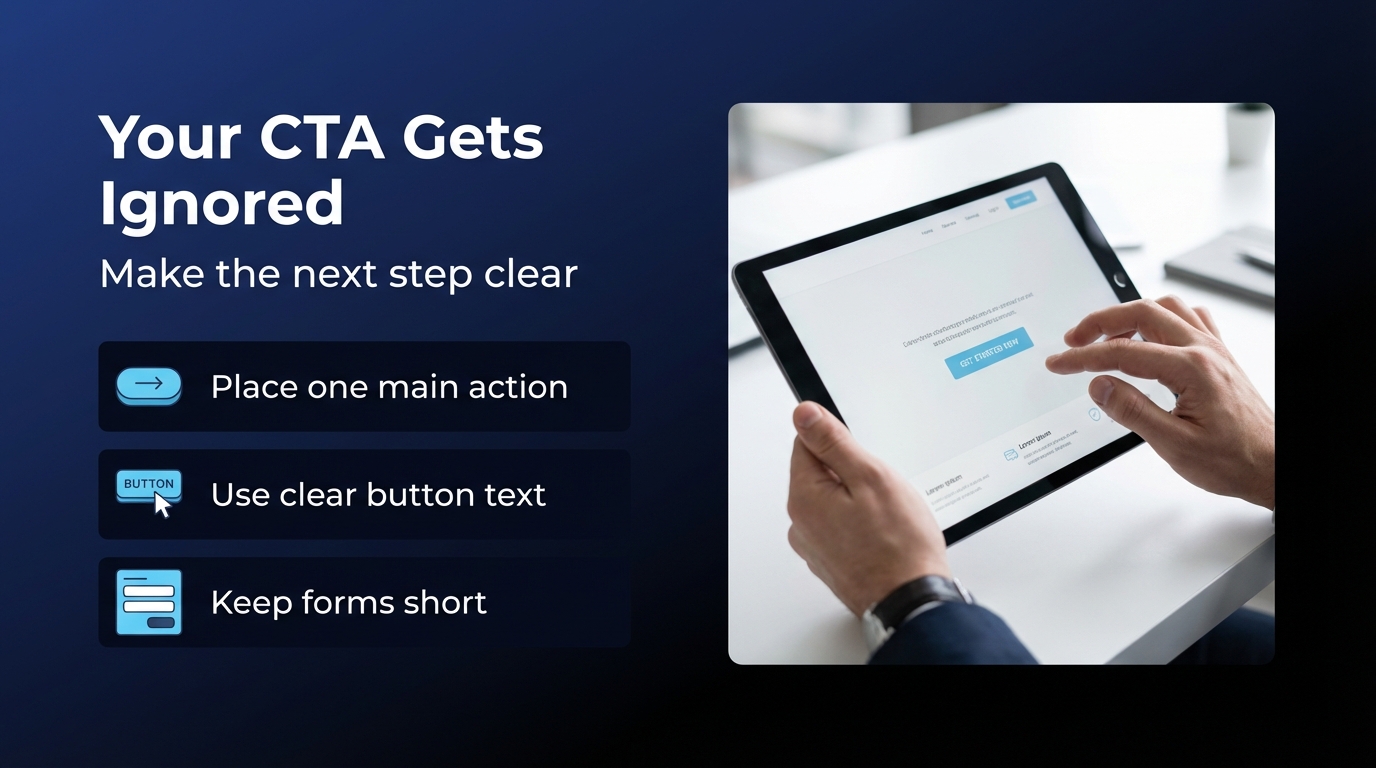
This is painfully common.
Businesses spend weeks polishing colors, tweaking layouts, and debating hero images, then bury the contact button under three paragraphs and a stock photo of two people pointing at a laptop.
A call to action, or CTA, tells the visitor what to do next. If it is weak, vague, or hard to find, conversions suffer.
What are the signs of a bad CTA?
Watch for these:
- The button is hard to see
- The wording is boring or unclear
- There are too many competing actions
- The form asks for too much
- The same page says “Call us,” “Book now,” “Learn more,” and “Download guide” with no priority
Too many CTAs can feel like a waiter asking for your order, dessert choice, tip amount, and online review before bringing water.
What makes a CTA work better?
A strong CTA is:
- Visible
- Specific
- Relevant to the page
- Easy to complete
Examples:
- Book a free consultation
- Request a quote
- Schedule a website audit
- Call now
- Get pricing
Each one tells the visitor what happens next.
How do you fix CTA problems?
Use one primary action per page.
Then support it with a few smart choices:
- Place the CTA high on the page
- Repeat it naturally further down
- Keep forms short
- Use action-focused button text
- Make the CTA stand out visually
If the page is about one service, the CTA should match that service. Do not send people to a generic contact page if you can help it. Keep momentum alive.
What should you fix first if your website has all five problems?
If your site has speed issues, mobile issues, weak copy, trust gaps, and poor CTAs, do not panic.
This is common.
The smartest move is not to fix everything at once. It is to fix the problems in the order that most directly affects lost conversions.
What is the smartest repair order?
A practical order looks like this:
- Fix speed problems
- Fix mobile usability
- Clarify your homepage and service page messaging
- Add trust signals
- Strengthen your CTAs and forms
Why this order?
Because if the site is slow or painful on mobile, many people will never stay long enough to read your improved copy. If your copy is unclear, trust signals and CTAs have less impact. Each layer supports the next.
Should you rebuild or improve what you already have?
That depends on how messy things are.
You may need a full rebuild if:
- The site is outdated at a structural level
- Templates are fighting your content
- Mobile performance is poor across the board
- Editing the site feels like defusing a bomb
You may only need targeted fixes if:
- The site already looks solid
- The pages rank but do not convert
- There are just a few friction points
- Your messaging is the main problem
Sometimes the smartest fix is not starting over. It is cleaning up what already works and removing what does not.
How can you tell whether your fixes are actually working?
A website redesign should not be judged by whether someone on your team says, “It feels more modern.”
That is not a business metric. That is a vibe.
You need measurable signs that the site is doing a better job.
What should you track after making changes?
Pay attention to:
- Conversion rate
- Form submissions
- Phone calls
- Bounce rate
- Time on page
- Mobile engagement
- Page speed improvements
- Landing page performance
Google’s documentation also emphasizes making pages understandable through descriptive titles, useful headings, and logical structure.[^1] Clear structure helps search visibility, but it also makes user behavior easier to interpret because each page has a more obvious purpose.[^1]
How long does it take to see results?
Some fixes can help almost immediately.
For example:
- A clearer CTA can improve lead flow quickly
- A faster page can reduce drop-offs right away
- Better messaging can improve conversion quality as soon as the page goes live
Search improvements may take longer. Conversion improvements can happen faster if you already have traffic.
That is why conversion work is so valuable. You may not need more visitors first. You may need your current visitors to stop getting confused and leaving.
What does a healthier customer-winning website look like?
A healthy website does not need to be flashy.
It needs to be useful.
A strong business website usually has these traits:
- It loads quickly
- It works well on mobile
- It clearly explains what the business does
- It shows proof that the business is trustworthy
- It gives visitors an obvious next step
That is the winning formula.
Not mystical branding language. Not ten animations before the menu appears. Not a homepage video that takes forever to load while visitors wonder whether the site is broken.
Just clarity, speed, trust, and action.
What is the real goal of a business website?
The goal is not just to exist online.
The goal is to help the right person move from:
- curious
- to interested
- to ready to contact you
If your website interrupts that path, it is costing you customers.
If it supports that path, it becomes one of your hardest-working business tools.
Final thoughts
If your business website is costing you customers, the problem is usually not one dramatic disaster. It is a handful of small frictions stacked on top of each other.
A page loads slowly.
The headline says very little.
The mobile layout feels awkward.
The proof is thin.
The call to action hides in the corner.
Individually, each issue seems manageable. Together, they quietly drain leads.
The good news is that these problems are fixable.
You do not always need a giant overhaul. Sometimes you need a sharper message, faster pages, cleaner mobile design, stronger trust, and a call to action that does not play hide-and-seek.
If you want your website to help your business instead of sabotage it, start there.
^1]: [SEO Starter Guide: The Basics – Google Search Central
^2]: [Mobile-first indexing best practices – Google Search Central
^3]: [Response Times: The 3 Important Limits – Nielsen Norman Group